
Cart
Cart Drawer
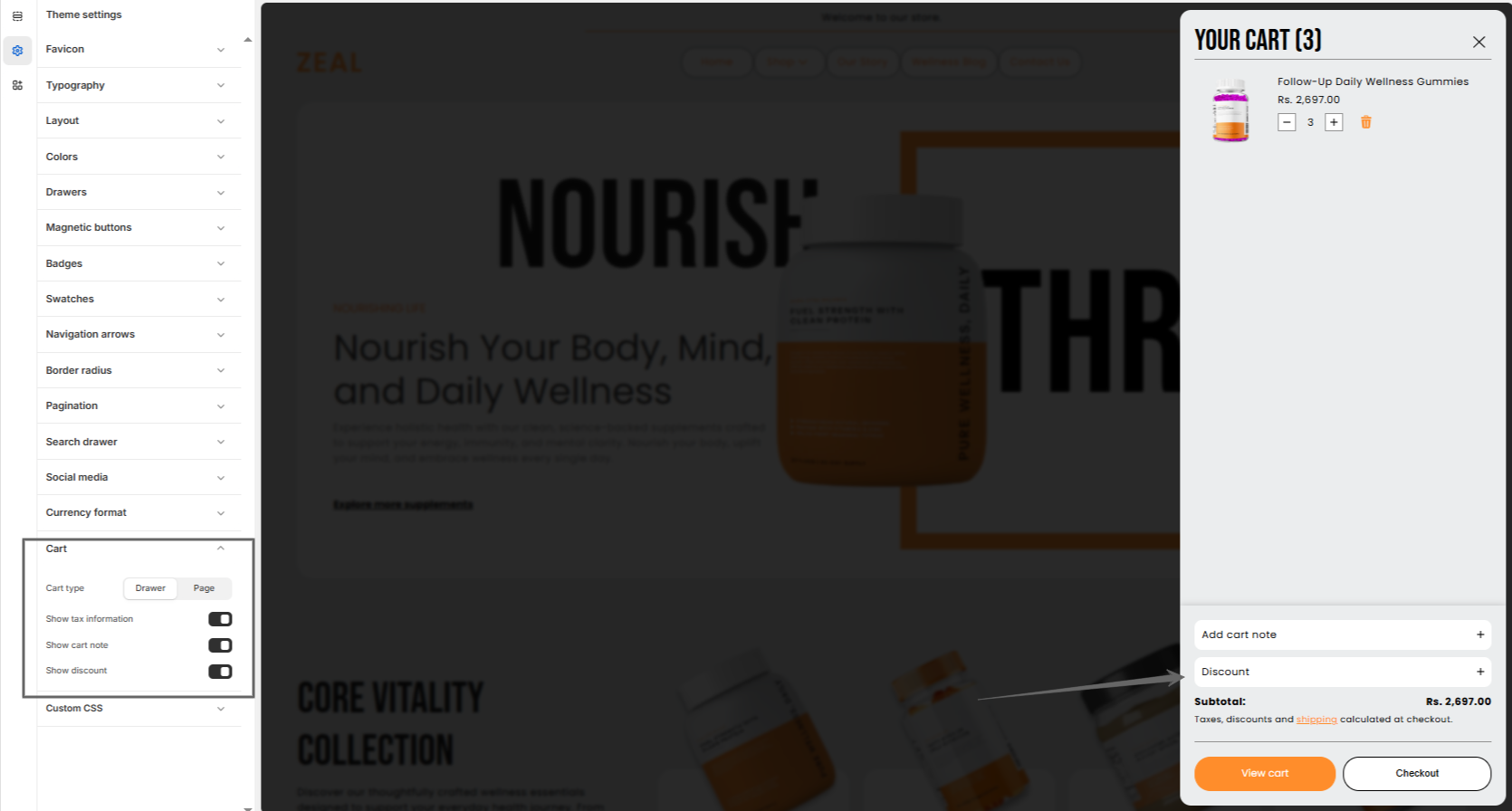
Zeal offers two cart types: cart drawer and cart page. Both the cart drawer and cart page include settings to show tax information, cart notes, and discounts, helping create a smooth and transparent shopping experience.
The cart drawer allows customers to quickly review and manage the items they’ve added without leaving the current page.
Cart page
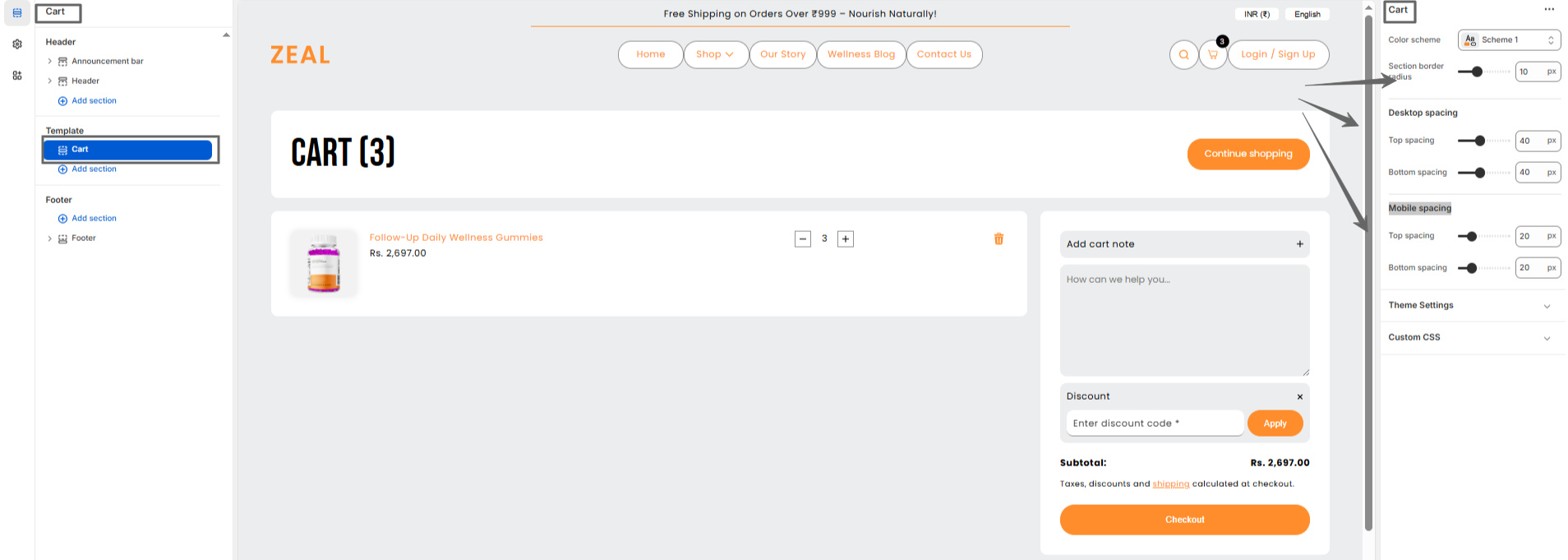
Zeal’s cart page includes flexible settings for colors, section border radius, and spacing on both desktop and mobile, helping create a smooth and user-friendly shopping experience by allowing customers to review their items before checkout.
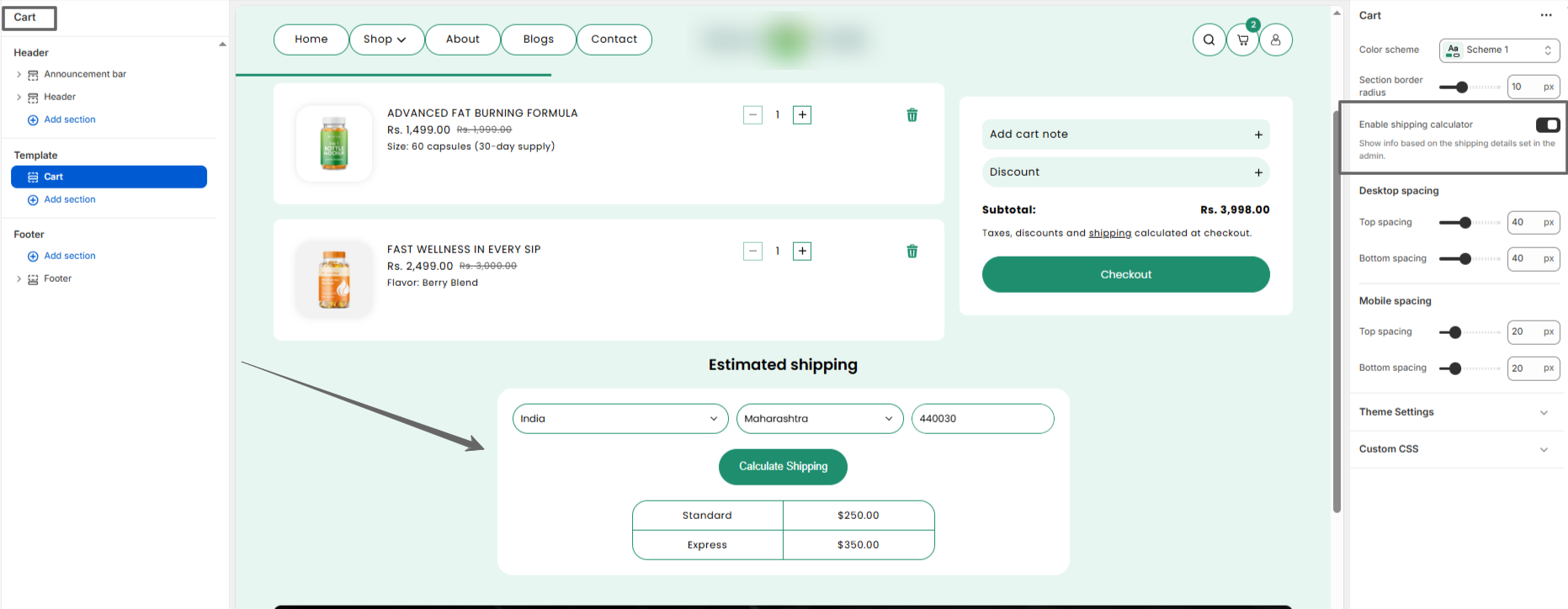
Zeal’s cart page includes a Shipping Estimator that calculates shipping charges based on the
customer’s
country, state, and pincode.
The estimator uses the shipping rates configured in our store settings to automatically calculate and
display the final shipping cost according to the customer’s location.
Cart items
Steps
- Show cart note which permits customers to attach notes on the cart.
- Show tax information which displays any tax status.
- Show discount is the option to percentage discount on cart.
F.A.Q.
To change the cart type in the theme , go into the Theme editor and open the settings. Scroll down to the Cart and select your desired cart type.