
Header & Dropdown Menu
The Zeal header includes settings to add a logo image, adjust the logo width, change the logo position, and enable a progress bar that shows scrolling progress.
An Zeal Dropdown menu is a navigational feature commonly used in Shopify themes to display multiple submenu items under a main menu item. It enhances the user experience by organizing and collapsing large navigation structures into a cleaner and more interactive format. Dropdown menus are often used to categorize products, collections, or other important links in a store, making it easier for customers to browse.
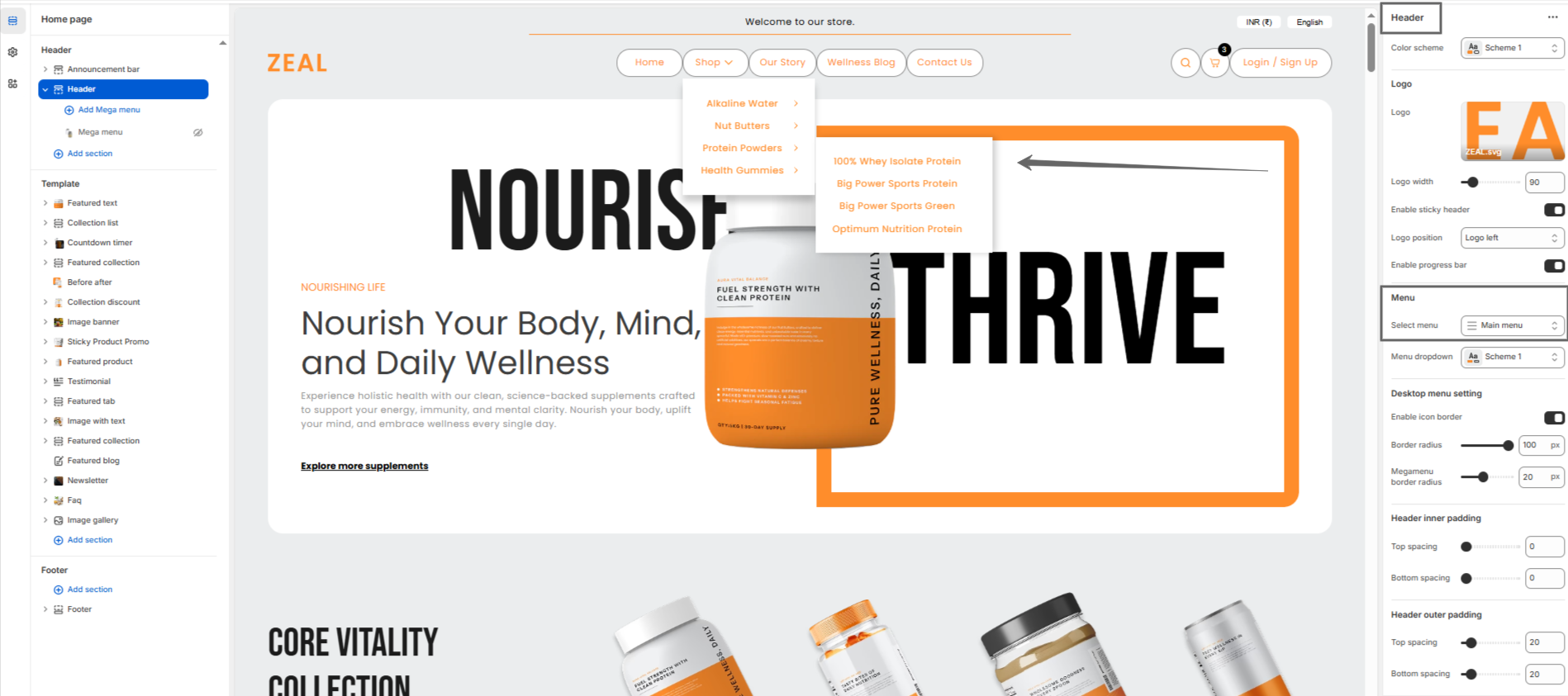
Follow these steps to configure your theme Dropdown
Steps
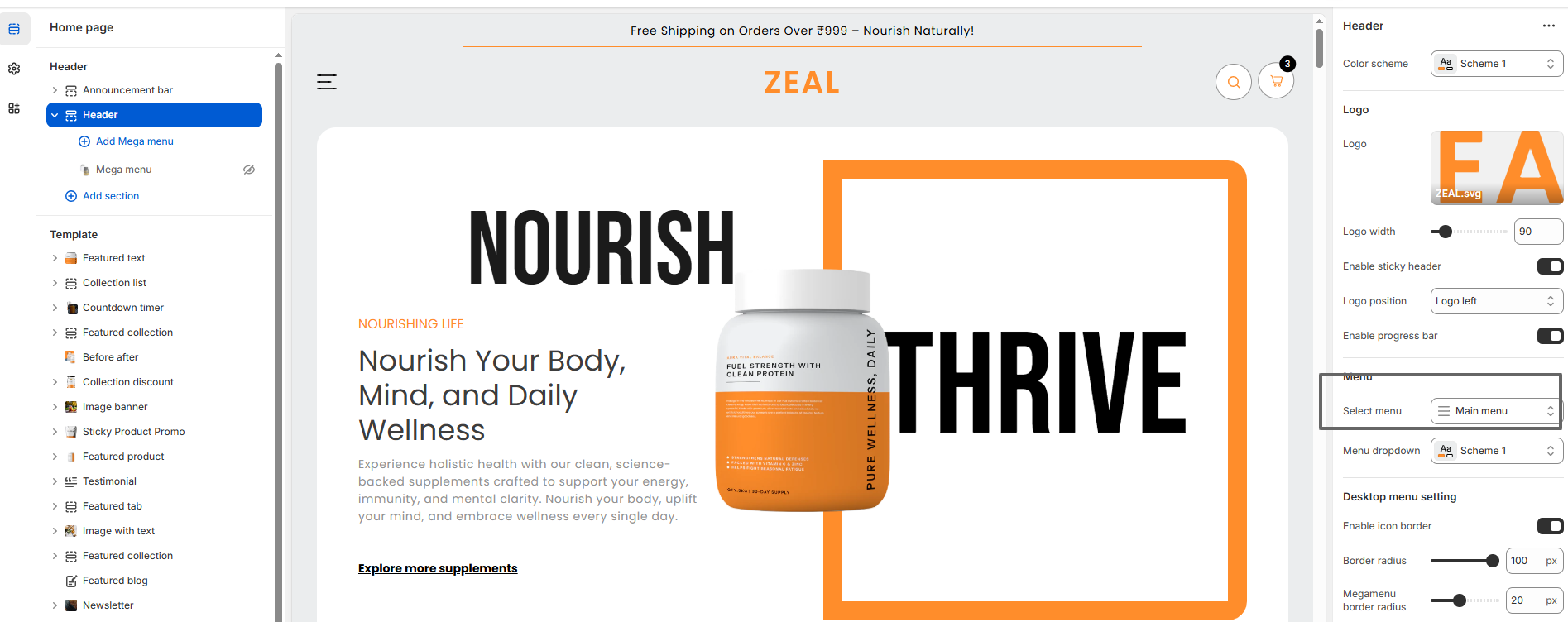
- Open the Customizer: Navigate to the Header Group, and then open the Header section.
- Choose Menu: You will see options for the menu.
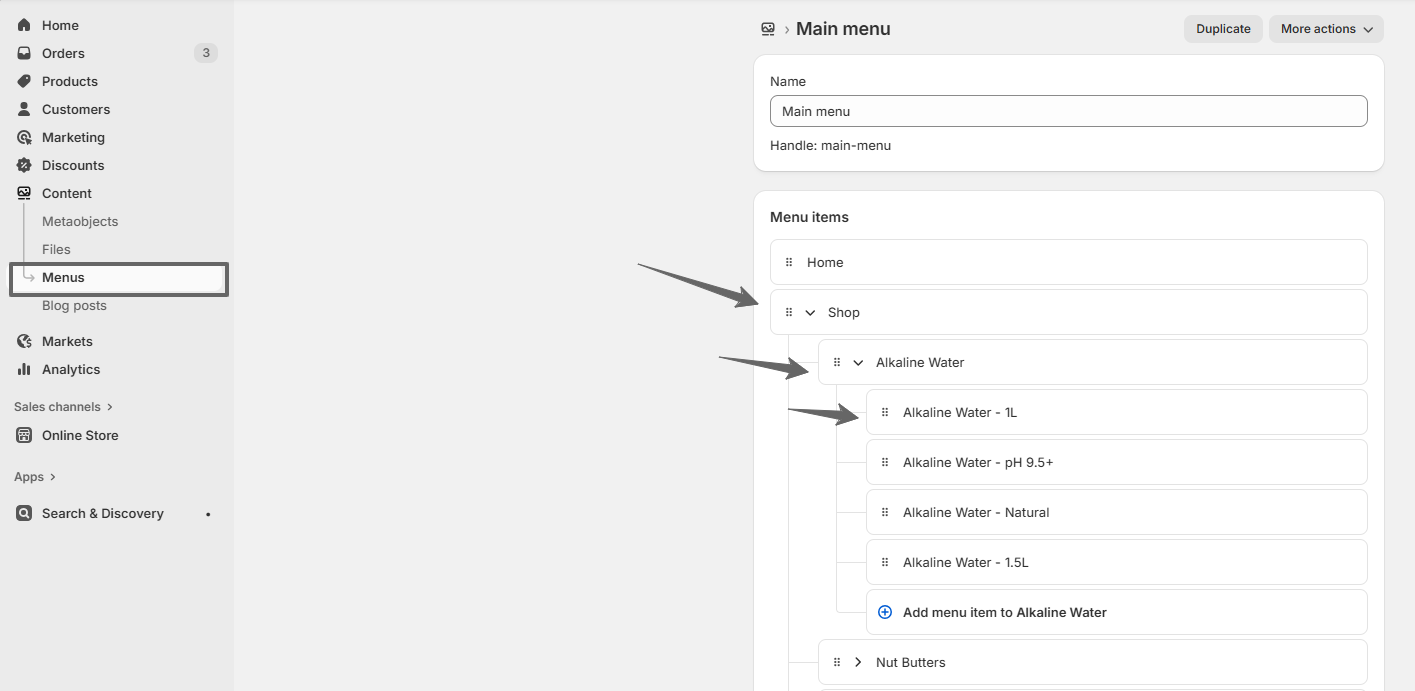
- Create dropdown menu: Go to Online Store >> Content >> Menus
F.A.Q.
- Go to Shopify Admin > Online Store > Navigation.
- Select a menu (e.g., "Main Menu") and add menu items.
- Drag items indented under others to create nested levels (max 3 levels default).